Phantom vibration syndrome describes the vivid feeling that a device just buzzed when it did not. It feels real because the brain misreads subtle cues and expects alerts. This sensation ties into common patterns of compulsive checking seen across the United States today.
Nearly universal cellphone ownership and current screen-time baselines make these false alerts more likely. Recent statistics note high daily use, which reshapes reward loops and raises stress and concerns for mental health.
The article will define the sensation, quantify modern device use, help readers spot compulsive patterns, and offer a step-by-step reset for alerts, boundaries, sleep, and short detoxes. The goal is not shame or going off-grid; it is about building intentional smartphone use that supports focus and relationships.
Key Takeaways
- Phantom vibrations come from learned expectation, not a faulty device.
- Widespread cellphone use and daily screen time increase the effect.
- Recognizing compulsive patterns helps reduce needless checking.
- Practical steps can lower stress without abandoning technology.
- The article offers an actionable reset plan for alerts and boundaries.
What Phantom Vibration Syndrome is and why it feels so real
A phantom vibration feels like a real alert, but it is the nervous system mistaking ordinary sensations for a buzz. In plain terms, the brain can turn an itch, a muscle twitch, fabric movement, or pressure into a convincing “vibration.”
How the brain misreads signals when smartphone use is constant
The brain learns to prioritize cues linked to rewards, such as messages or social updates. When smartphones are checked often, neural circuits begin to predict alerts and sometimes create false positives.
High screen time and constant checking keep the nervous system on standby. That heightened monitoring makes ordinary touches feel like a real device notification.
Common patterns people notice with phones in pockets, bags, and on desks
- Front pockets or tight jeans press against skin and mimic vibration.
- Bag straps or jacket movement can feel like a brief buzz.
- A visible phone on a desk stays mentally salient and triggers checking.
Many people check immediately after the sensation. That response reinforces the cycle, teaching the brain the false alarm was worth acting on. Reducing alerts, expectation, and checking habits—rather than relying on willpower alone—usually eases phantom vibrations.
Phone Addiction in the United States, by the numbers
Data from 2025 make it clear: many adults now move through the day in micro-sessions of screen interaction rather than single long sessions.
Average screen time today and what it suggests
National statistics show the average American spends 5 hours and 16 minutes per day on screens. That total masks frequent short sessions. In practice, many adults open apps for a few minutes many times across the day.
How often adults check and unlock devices
Smartphone owners unlock their devices about 150 times a day. One estimate reports users check phones 63 times a day; other methods find roughly 80 checks per day. Both figures signal repeated interruptions that train the brain to expect alerts.
Why battery anxiety and nomophobia are widespread
Usage patterns feed emotional responses. About 70% report fear or anxiety when battery drops below 20%, and half feel uneasy leaving their cell phone at home.
- Operational takeaway: total hours matter, but unlocks and checks shape habit loops.
- Self-check: compare personal daily time and times per day to these statistics to set a baseline.
How to tell when notifications are driving compulsive smartphone use
Notifications can quietly steer habit loops until checking becomes automatic. The signs fall into clear behavior, emotional, and life-impact categories. Spotting them helps differentiate routine use from problematic patterns.
Behavior signs
He or she may check without any alert, unlock reflexively, or open apps without intent. Repetitive scrolling can stretch a quick glance into long screen time sessions.
Emotional signs
Fear of missing out, rising anxiety when the device is out of reach, and irritability when silenced are common. A Penn State finding warns that simply silencing can increase checking for some people.
Life impact
Attention to friends and family often suffers: 86% of users report checking during conversations. About 87% check within an hour of sleep or waking, and 71% sleep next to their phones, which can harm work focus and sleep health.
- Quick test: count unlocks over a day and note how often social media cues trigger a check.
- Red flag: alerts drive checking more than intent.
- Next step: pair notification cleanup with a checking plan, not silence alone.
Why phantom vibrations are linked to phone addiction and stress
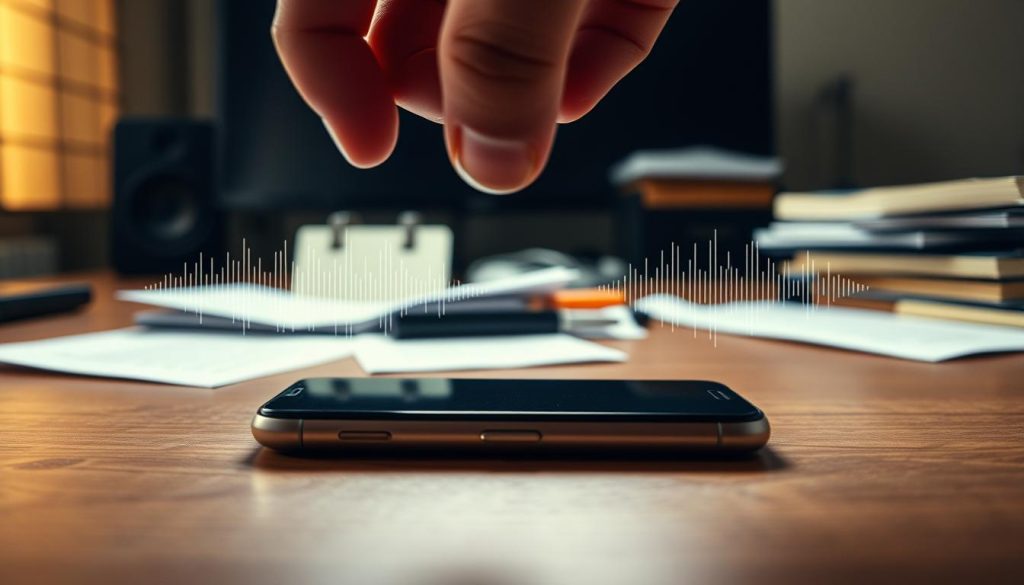
Small, repeated interactions with a device train the brain to expect a reward and can create phantom alerts. This learning is not conscious; it happens because the nervous system links touch, sight, and sound to possible social signals.
Dopamine, anticipation, and the reward loop behind “just checking”
Variable rewards—messages, likes, and unexpected updates—release dopamine in bursts. That chemical makes brief checks feel worthwhile even when nothing appears.
Result: he or she learns to check reflexively, which reinforces the habit and deepens smartphone addiction in daily life.
How frequent taps and swipes train the brain to expect alerts
The average owner taps or swipes about 2,617 times per day. Those micro-actions repeatedly pair movement with possible reward.
Over time, the brain fills in missing signals. A fabric rub or muscle twitch can become a convincing phantom vibration.
When constant connectivity increases anxiety instead of reassurance
Constant availability can raise stress. Low battery or separation often triggers panic: about 70% report fear at under 20% power, and half feel uneasy leaving their phone at home.
To reduce scanning and anxiety, lower alert volume, hide visual badges, and set predictable check-in times. These steps cut expectation and give the nervous system a chance to reset.
Find a baseline: how to check average screen time and pickups on iPhone and Android
Start by making the invisible visible: record how many hours and pickups happen each day. Measuring use gives a clear baseline and makes goals realistic.
iPhone Screen Time
Open Settings. Tap Screen Time, then choose See All Activity.
Select the Day view for today’s totals or Week view for a daily average. Note total hours, top apps, and how many times the device was picked up.
Android Digital Wellbeing
Open Settings → Digital Wellbeing & Parental Controls. The chart shows today’s total.
Tap the chart to see weekly daily averages and per-app totals. Record hours, pickups, and which apps lead usage.
Which metrics matter most
- Hours per day: total screen time that drives fatigue.
- Times per day: pickups or unlocks that create habit loops.
- Top apps: identify trigger apps vs. necessary utilities.
He or she should save these numbers. They set the baseline for cleaning alerts, building Focus windows, and tracking progress.
Reset notifications without going offline: a step-by-step alert clean-up
A quick notification audit can cut interruptions without cutting ties to essential contacts.
Start by turning off nonessential push alerts. Disable retail promos, game alerts, and most social media pushes first.
Keep only high-value alerts
Keep calendar, banking, transportation, security, and direct calls or texts from key contacts. These preserve safety and work flow.
Use Focus modes and Do Not Disturb
Set Focus for work and sleep to reduce cognitive switching. Add exceptions for urgent contacts so the device still notifies when it truly matters.
Stop lock-screen bait
Limit preview text, disable badges for tempting apps, and enable notification grouping so the lock screen no longer demands attention.
Create check-in windows
Replace constant alerts with scheduled reviews—three short blocks per day or 10 minutes each hour, depending on work needs.
Note: a Penn State study found silencing alone can increase checking for some people. Pair fewer alerts with a concrete checking plan to stop the brain from wondering what it missed.
Build phone-free boundaries at home, at work, and with friends and family
Removing easy access to screens protects key moments of the day and helps adults reconnect with people nearby. Clear, simple rules about device placement cut automatic checking and make presence the default.
Set phone-free zones that protect meals, conversations, and downtime
Designate the dinner table, bedroom, and bathroom as device-free areas. Protecting meals and sleep time improves attention with friends and family and lowers stress.
Use physical distance to break the habit loop during the day
Place the device in another room during deep work blocks. Use a charger across the room, keep phones in a bag, or leave them on a shelf to reduce reflexive checking.
Replace in-house messaging with quick face-to-face check-ins
Even when people live together, 30% message a partner instead of starting a short conversation. Swap that habit for a two-line visit or a hallway check-in for household coordination.
- Work rules: keep phones off the table in meetings and batch notifications.
- Expectations: set colleague norms for response time to reduce pressure.
- Quality of life: these steps boost presence, lower stress, and improve daily rhythm.
Reduce nighttime smartphone use to cut phantom alerts and protect mental health

What happens after lights out matters: late-night screen use keeps the nervous system primed for imagined alerts. This hyper-alert state makes phantom vibrations more likely and raises overall anxiety.
Why most users check within an hour of sleep or waking and how to change that
Most people check within an hour of going to sleep or after waking. About 87% check in that window and 69% look within five minutes. Seventy-one percent sleep with a phone nearby.
Those bookends of the day reinforce immediate dependence. A simple shift breaks the loop.
Charge the phone outside the bedroom and switch to a real alarm
Charge the device in another room and use a dedicated alarm clock. This prevents starting the day with a screen-triggered checking spiral.
Build a wind-down routine that doesn’t involve social media or scrolling
Set a screen-time cutoff 30–60 minutes before sleep. Enable Focus or Do Not Disturb overnight to stop late alerts from training nighttime checks.
- Read a physical book or journal.
- Do light stretching or breathe for five minutes.
- Prepare clothes or a to-do list for the next day.
- Listen to audio without watching the screen.
These steps lower late-night inputs, reduce anxiety, and calm the nervous system. Over time, fewer alerts at night mean fewer false buzzes and better overall health.
Try a digital detox day that actually sticks
A short, structured break from screens often succeeds when it’s framed as a reset, not punishment. Make the plan match work needs, family routines, and realistic free time.
Choose a realistic format
Pick a half-day, full-day, or weekend based on current screen time and obligations. A half-day is often best for beginners. A full-day or weekend works for people with flexible hours or planned family time.
Prep friends and family
Tell friends and family in advance and set expectations for texting or urgent contact. That simple message lowers social pressure and stops mid-detox pullbacks.
Plan real alternatives
Replace scrolling with exercise, cooking, a hobby, volunteering, or a walk in nature. These activities give real rewards and reduce the urge to reach for the phone.
Ride out withdrawal feelings
Expect restlessness, anxiety, or fear of missing out. Use timed check-ins for true emergencies, breathing exercises, and keep the device physically out of reach for set hours.
Goal: treat the detox as a periodic reset to lower compulsive loops, reduce anxiety, and reclaim hours day for focused life priorities.
Conclusion
Be sure to insert a strong.
The body can signal a buzz when alerts and checks dominate daily routines. He or she learns to expect interruptions, and that expectation feels real even when nothing happened.
Core takeaway: reduce inputs and change checking habits. Measure baseline screen time, tidy notifications, enable Focus modes, hide lock-screen badges, and set short check-in windows.
U.S. statistics on pickups and daily usage show why intentional change matters: smartphones shape attention and raise background anxiety. Boundaries at home, work, and with friends protect relationships and reduce this stress.
Protect sleep by keeping the phone out of the bedroom and try a periodic digital detox to reset social media patterns without total disconnection. Small, consistent steps restore control.